FTP Live — FTP upload to your gallery from camera
Dedicated FTP per gallery. Password shown once. Built for on-location speed.
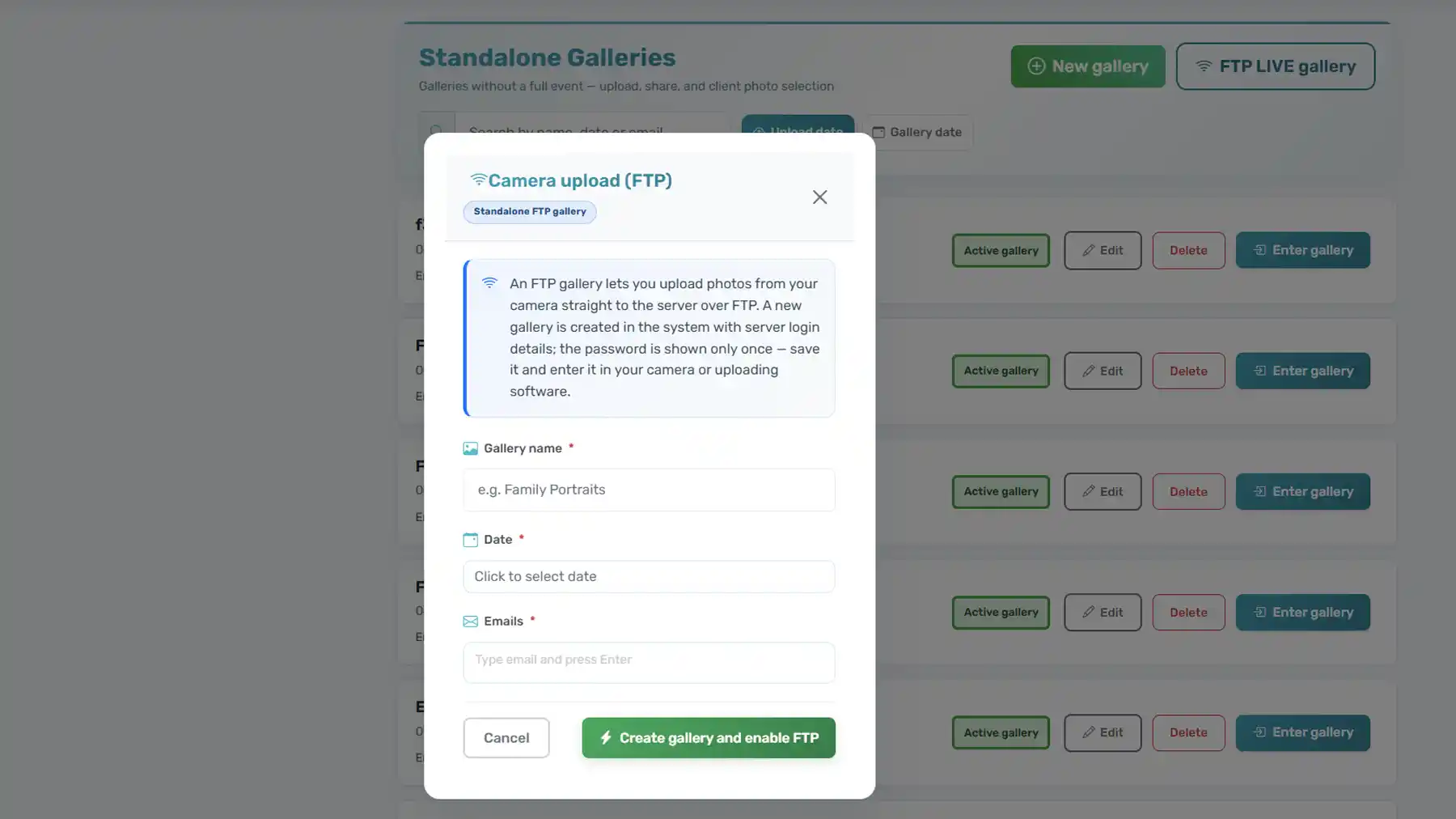
Activate FTP Live on a gallery, enter host, user and password on your camera or transmitter, and files flow into PicSmart — no manual import from laptop.
PicSmart FTP Live is built for photographers who need direct FTP upload to a cloud gallery: one FTP account per PicSmart gallery, secure ingest, then culling and client delivery in one workflow.
FTP Live product visuals
What you get with FTP Live
Built for field workflows
For photographers who already send photos via FTP from camera, cage or on-site station.
One login per gallery
Each activation gets its own credentials — disconnect or rotate when the job ends.
Cloud pipeline
Photos move into PicSmart storage so you can continue with AI culling, selection and delivery.
Controlled access
Time-limited sessions, lock when finished, tied to your account and subscription rules.

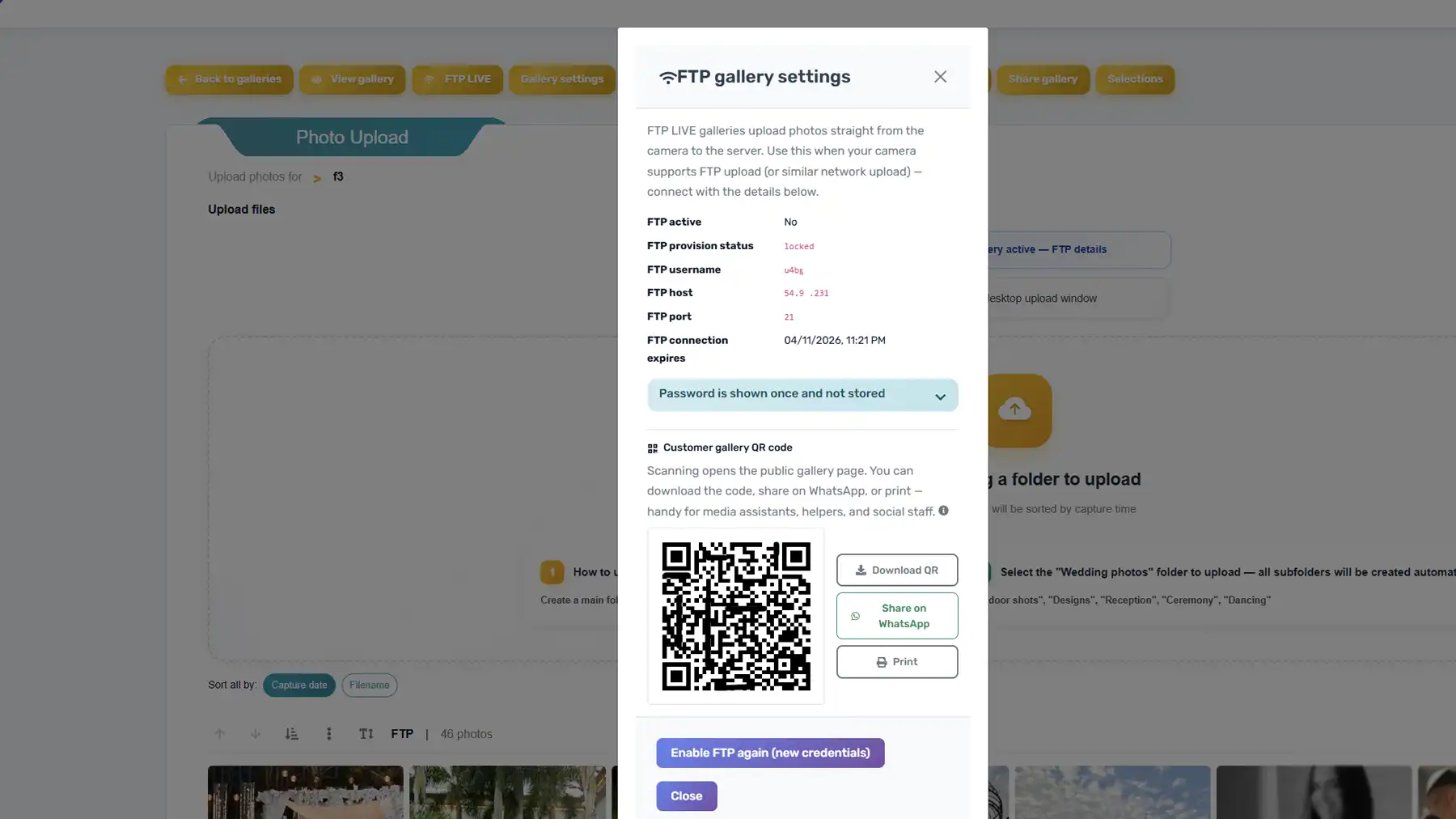
Example only: your real QR can encode host, user and password from PicSmart, or a secure link for your crew.
QR & quick handoff to media and social
After you activate FTP Live, host, port and credentials stay in one clear screen in PicSmart. Share them with second shooters, house media, PR and social teams so everyone feeds the same live gallery — less back-and-forth than reading passwords aloud on a noisy sideline.
- Encode connection details in a QR (from your password manager, team sheet or a quick generator) so phones on site scan once instead of typing host and user by hand.
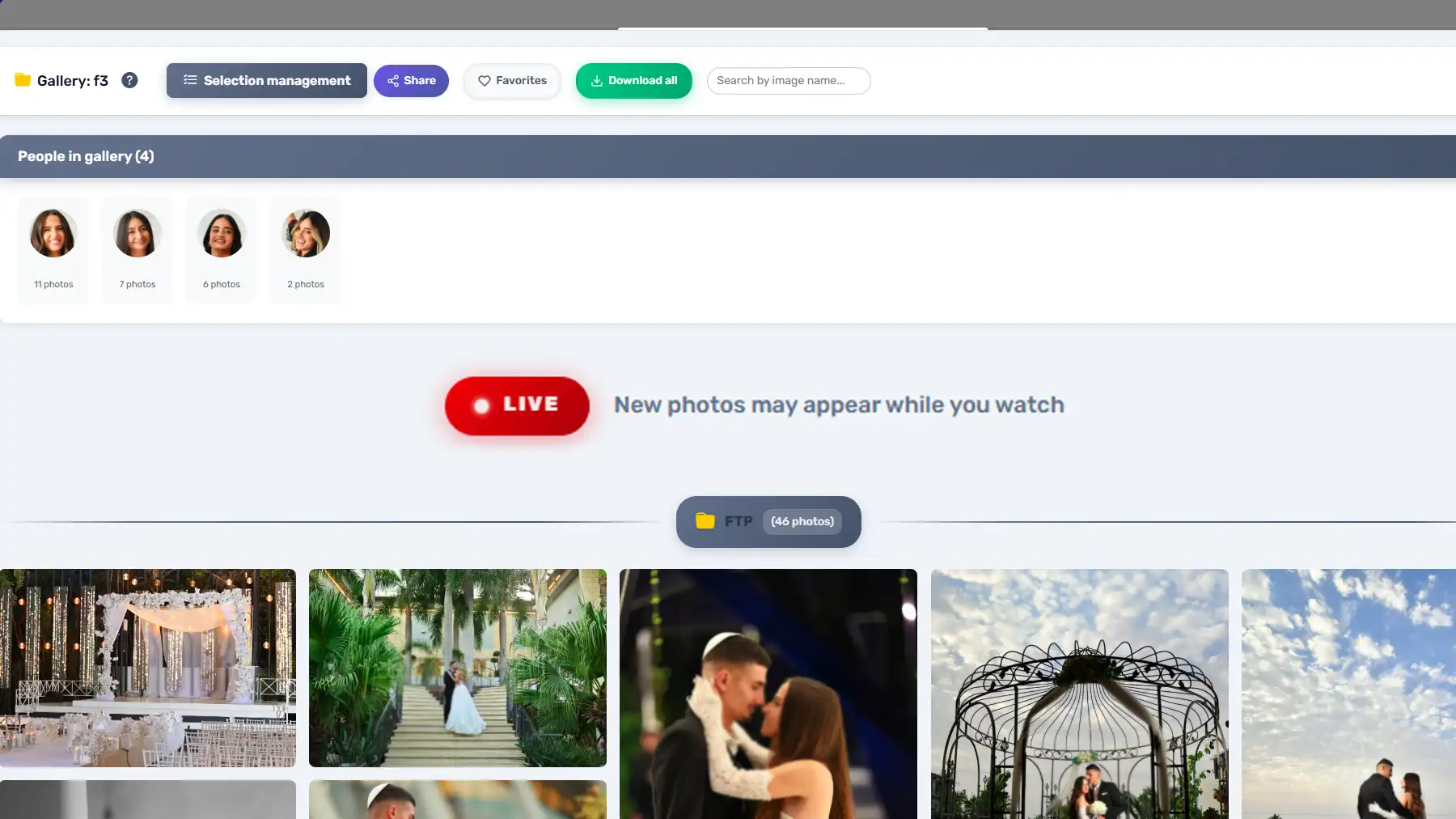
- Media can monitor the same ingest in PicSmart as files land; social and PR can pick selects for posts without waiting for a manual export.
- Send the QR or a secure link in your crew WhatsApp / Slack — when the job ends, disconnect FTP and that session stops for everyone.
Who is it for?
Sports & action
Send frames to the editor during the game — FTP is the industry default on many sidelines.
News & wire
Fast turnaround from venue to desk: shoot and transmit without opening a laptop.
Weddings & events
Second shooter or assistant can push selects or RAW to the same gallery during the day.
How it works
Open a gallery
Create or choose a gallery and enable FTP Live from PicSmart (where your plan allows).
Copy connection details
Save host, port, passive mode, username and password — the password is shown only once.
Configure the device
Enter the same values on your camera, grip transmitter or tethering software.
Shoot and continue in PicSmart
Files appear in your pipeline for review, culling and client delivery.